A Quiet Room Isn’t Always Quiet
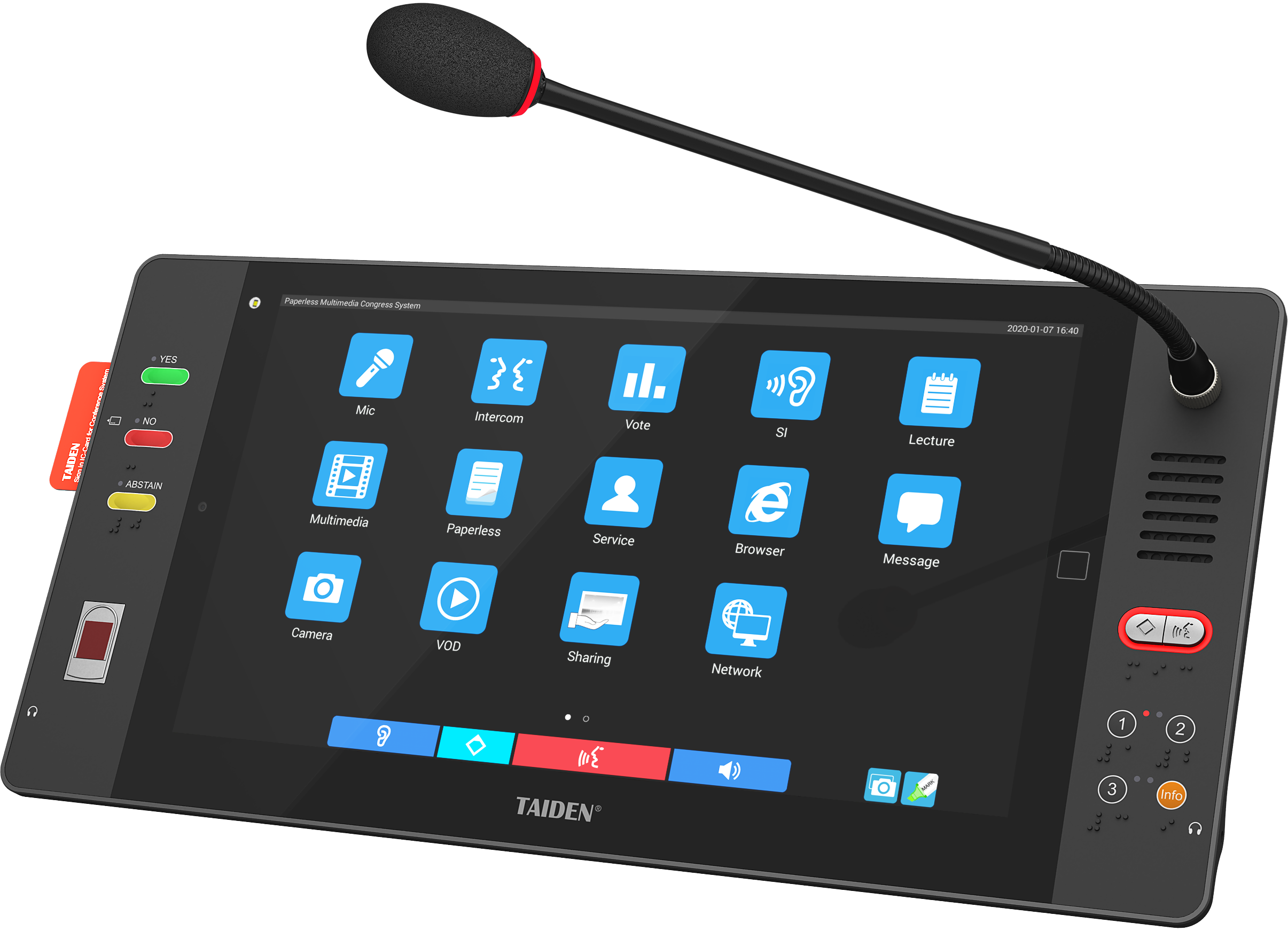
Silence can be loud. Picture this: the room is glassy, mics are neat, and tablets glow. The paperless conference system syncs everyone to the same page. Yet by minute 30, heads tilt, eyes squint, and the air feels “noisy” even when no one is talking. Often, it’s the multimedia system sound—not the content—that wears people out. Data from facility teams show up to 43% of complaints in hybrid meetings tie back to audio fatigue, not slides or Wi‑Fi. In Singapore, we love it fast and fuss-free (can or not?). But when rooms get bigger and mics multiply, small issues add up: a faint hiss, inconsistent gain, or a late echo that comes and goes. If sound is “fine,” why do users still feel tired? And how can a “paperless” setup make the room feel more human, lah? Let’s open the hood and see what’s really humming underneath.
Hidden Pain Points in the Sound Layer
Why does “silent” feel loud?
Here’s the technical bit, kept simple. In most rooms, the weak link isn’t the mic or the speaker alone. It’s the chain. Audio DSP sets the rules. Beamforming mics push clarity. Then, the network decides if the signal reaches in time. When the latency budget wobbles, even by tens of milliseconds, the brain starts to work harder—funny how that works, right? Now stack on more factors: a projector’s fan raising the room’s noise floor, power converters adding a low hum, and HVAC that shifts throughout the day. The system looks clean, but the ear notices the bumps. Look, it’s simpler than you think: users don’t complain about “latency.” They complain about feeling tired.
Hidden pain points also live at the edge. Edge computing nodes process streams near the room to cut round trips, but they need strict QoS to stay steady. If QoS policies are uneven, packets jitter. Voice feels thin. Or worse, somebody sounds like they’re talking from a tunnel. Gain structure drifts when different talkers sit near or far. Auto-mixers try to help, yet without good acoustic echo cancellation and steady SPL tuning, the fix becomes the problem. The lesson? The “paperless” workflow only lands well when sound is both stable and kind to the ear—under load, across the day, and with real humans breathing, moving, and whispering at the table.
Comparing What’s Next: Principles That Actually Scale
What’s Next
So where do better rooms diverge from “good enough”? Two places: timing and intent. Newer audio paths lock to network time, not just device clocks, and treat every hop like money in a wallet. Spend less. Save more. Software-defined processing lets you pin core tasks—auto-mix, AEC, and noise suppression—near the source while routing only what matters. That trims the latency budget and keeps jitter in check. In comparative tests, rooms with distributed DSP and disciplined gain staging show lower listener effort scores, especially over long sessions. And when you layer smart presets by room mode (board, training, hybrid), the system adapts to use, not the other way around—shiok, right?
There’s also a practical lane: align audio networks with IT reality. Standardized streams (think AES67) play nicer across vendors. PoE switches simplify power and reduce cable mess. With good monitoring, alerts catch drift before users do. This is where thoughtful conference room av solutions shine—when they make choices visible and testable. A recent deployment I reviewed moved AEC to the edge and set clear SPL targets by seat row. Result: fewer “I can’t hear” callouts, tighter beamforming pickup, and calmer rooms after lunch. Different brands can reach this too. The principle is the same: engineer for how people listen, not only for how signals travel.
How to Choose Without Guessing
Time to turn insight into action. Use three checks when you assess sound in a paperless setup. 1) Timing integrity: measure end-to-end latency under load, with targets per use case; record jitter and set a strict QoS profile. 2) Acoustic fitness: verify SPL across seats, confirm beamforming lobe placement, and test acoustic echo cancellation during live talkbacks. 3) Operational clarity: confirm presets for modes, logging for drift (noise floor, gain), and simple recovery steps for IT teams. If a vendor can show these with real numbers—not just a spec sheet—you’ll get rooms that feel calm, not just look high-tech. And when the room stays quiet in your head after the meeting—job done. For more on integrated audio paths in modern conference environments, see TAIDEN.